Add a WhatsApp button so visitors can easily get in touch with your client. When visitors click the link, it opens a new chat on their mobile device / WhatsApp web. You can set an automatic first message, or leave it open for visitors to write what they want.
Tip:
You can also use any other linkable element (e.g. text, shapes, or media).
To add a WhatsApp button:
Click Add Elements

on the left side of the editor.
Click Buttons.
Drag a button to the desired location on the page.
(Optional) Change the button text (e.g. Contact us on WhatsApp) and icon.
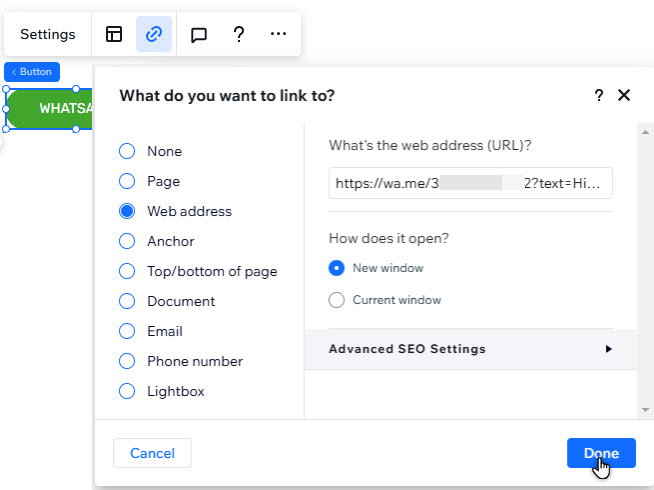
Click the Link icon

.
Select Web address on the left.
Choose the type of link you want to create:
Create a link with an automated first message
Create an automated message that visitors can send when WhatsApp opens.
Enter the following address under What's the web address (URL)?: https://wa.me/number
Add ?text=urlencodedtext to the URL.
Select if the link opens in a new window, or the current one.
Notes:
The number should be a full phone number in international format. Omit any zeros, brackets and dashes from the phone number.
The urlencodedtext is where you enter your custom message. To add a space in the message text, use '%20'.
Example: https://wa.me/1XXXXXXXXXX?text=Hi%20requesting%20a%20callback.%20Thanks
Create a link without a message
Create a link that opens a WhatsApp conversation, with no automated message the visitor can send.
Enter the following address under What's the web address (URL)?: https://wa.me/number
Select if the link opens in a new window or the current one.
Note: The number should be a full phone number in international format. Omit any zeros, brackets and dashes from the phone number.
7. Click Done.
What's next?
Pin the WhatsApp button to the page so it's always visible as visitors scroll up and down.
This article is credited to the Wix team - https://support.wix.com/ and we thank them for that!