Add a tax rate to the cost of your bookings from the payments area of your Hotel Dashboard. The desired tax is added to the price of a reservation once customers have made a selection.
Important:
This article refers to the original Wix Hotels app. If you are using the new Wix Hotels by HotelRunner, read this article. Learn how to check which version of Wix Hotels you are using.
Wix hotels displays prices without the tax added until a customer selects a room and dates of stay, then the tax is included in the final price breakdown of the reservation.
If you want tax included in the initial room prices, build the tax in when you set up your rates instead of using the tax field in Price Settings.
To add tax to your prices:
Go to your Hotels Dashboard.
Click the Payments tab.
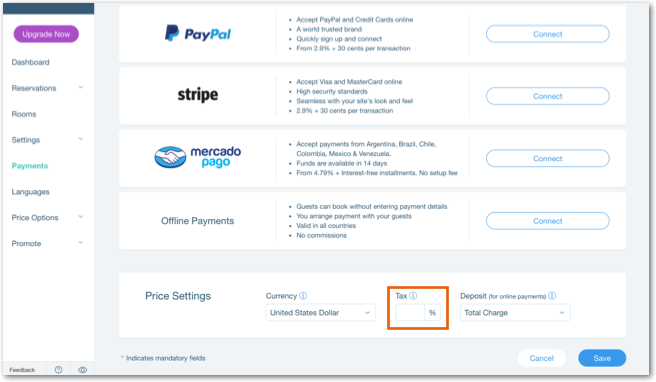
Scroll down to Price Settings.
Enter the tax rate you want to add to your prices in the Tax field.
Click Save at the bottom.
This article is credited to the Wix team - https://support.wix.com/ and we thank them for that!