Manual (offline) payments are payments accepted outside of your site (i.e. offline). You can instruct customers how to pay you (e.g. by cash, wire transfer, etc.) by writing instructions.
Your site must be upgraded to a plan that supports payments in order to accept payments.
As of March 7 2022, Wix no longer supports payment processing in Russia.
Setting up manual payments
Go to Accept Payments in your site's dashboard.
Click Connect next to Manual Payments.

Click the drop-down menu and select a title for the payment instructions: Cash payment, Offline payment or Cash on delivery.
Enter instructions to complete the payment in the text box.
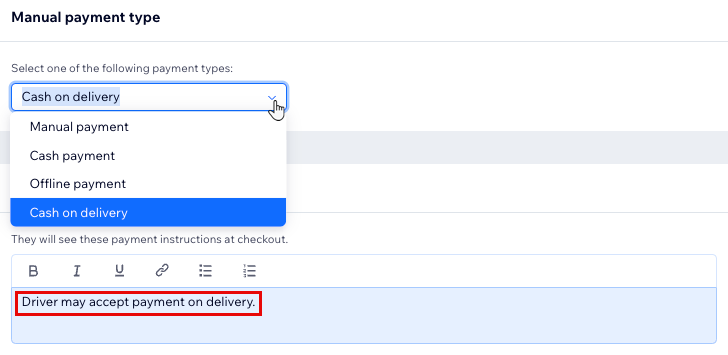
Click Connect.
FAQs
Click a question below to learn more about manual payments.
Can I edit a manual payment in my Payments tab in the dashboard?
Manual payments appear in your Payments tab once they have been marked as Paid.
It is not possible to refund, delete or change the status of any manual payment from the Payments tab.
If this is something you'd like to see in the future, you can vote for this feature.
How can I manage manual payments for Wix Bookings?
In addition to the Manual (In Person) payment option (which you can use to accept offline payments via an app, by check, by bank transfer etc.), Wix Bookings offers an additional 'pay in person' option (clients pay when they arrive for a session).
To update your records, you must manually mark a service as Paid.
If a coupon was applied to a booking, marking the service as paid also updates the number of available coupons (if limited).
How can I manage manual payments for Wix Stores?
To update your inventory, make sure to manually mark orders as Paid.
If a coupon was applied to an order, marking the order as Paid also updates the number of available coupons (if limited).
This article is credited to the Wix team - https://support.wix.com/ and we thank them for that!