Let customers get to know your business before they commit to a full plan. You can offer:
A free trial period: Add a free trial period at the beginning of any recurring plans (e.g. 1 week free before you pay for the entire duration).
A free plan: Create a free plan that clients can purchase only once.
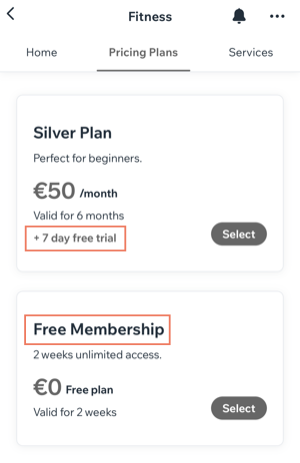
To create an introductory offer:
Go to your site in the Wix app.
Tap Manage

at the bottom.
Tap Pricing Plans under Catalog.
Tap Create a Plan / Create New Plan.
Create a plan with any of the available options.
Choose what you want to do:
Create a recurring plan that starts with a free trial period
Scroll down and enable the Free Trial toggle.
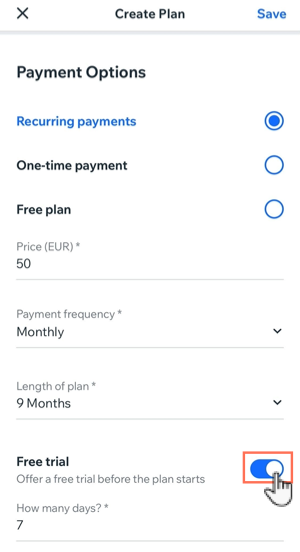
Enter the number of days the free trial lasts.
Complete the plan and tap Save.
Create a free plan that clients can book only once
Note: Clients who try to purchase the free plan a second time receive a notice that the plan can only be purchased once.
Scroll down and enable the Single Purchase Only toggle.
Complete the plan and tap Save.
This article is credited to the Wix team - https://support.wix.com/ and we thank them for that!