By default, search engines like Google crawl and index every page on your live Wix site. If you don't want a specific page to appear in search results, you can prevent search engines from indexing it in your editor.
From your site's dashboard, you can also choose to prevent search engines from indexing your entire site or use your site's SEO Settings to prevent search engines from indexing groups of pages.
Preventing search engines from indexing your entire site disables the options to prevent indexing groups of pages or individual pages. It also disables the option to prevent search engines from indexing those pages individually.
Important:
Password protected pages and private member pages don't show in search results, as they are not crawled and indexed. However, you'll need to manually prevent search engines from indexing public member pages such as Followers and Profile.
To prevent search engines from indexing a page:
Wix Editor
Click Pages & Menu

on the left side of the editor.
Click the More Actions icon

next to the relevant page.
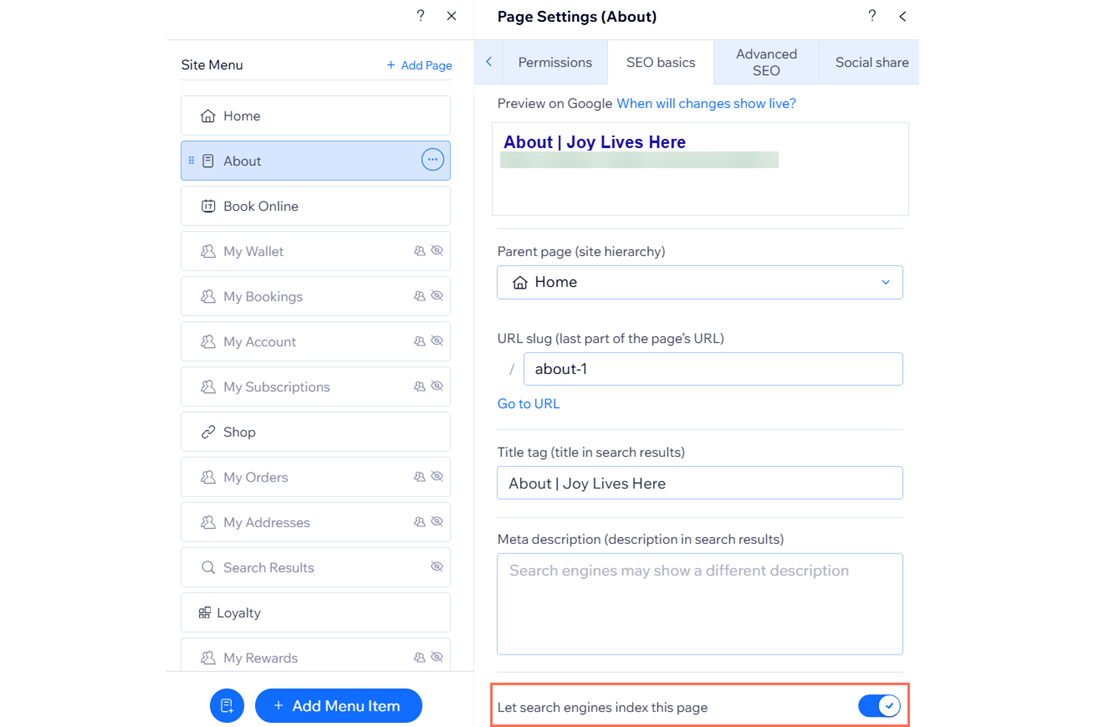
Click SEO basics.
Disable the Let search engines index this page toggle.
Studio Editor
Click Pages

on the left side of the editor.
Click the More Actions icon

next to the relevant page.
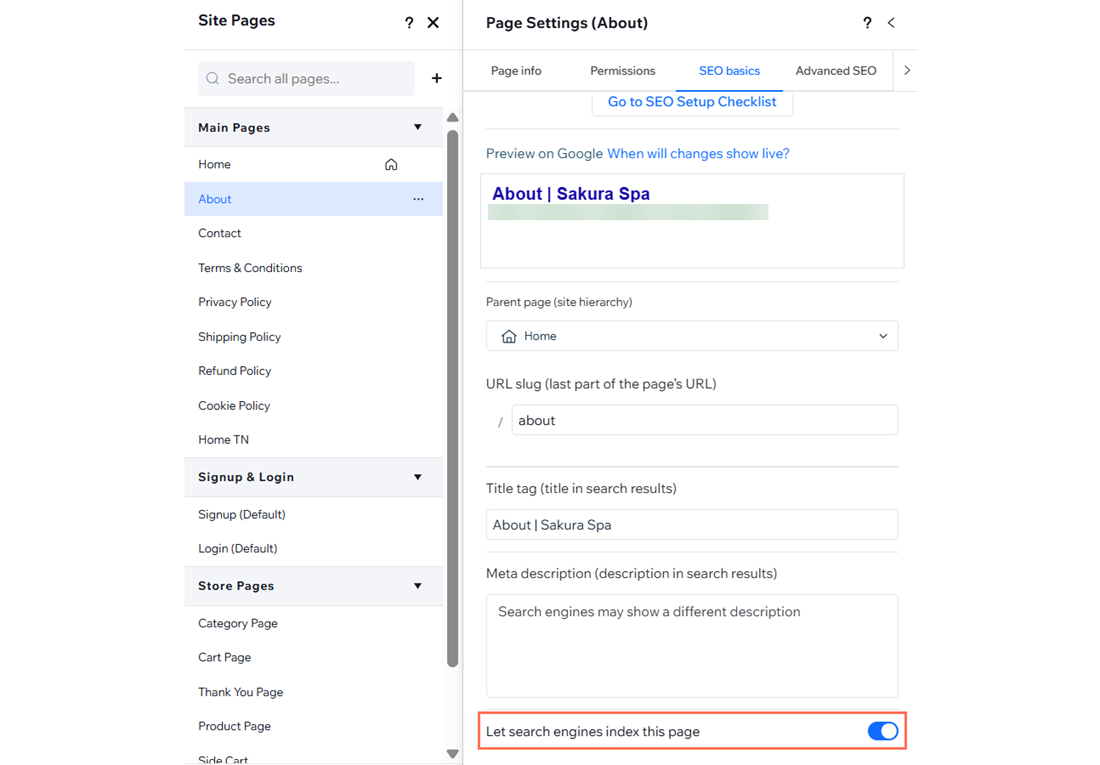
Click SEO Basics.
Disable the Let search engines index this page toggle.
Wix Harmony Editor
Click the Page dropdown at the top left of the page.
Click the More Actions icon

next to the relevant page.
Hover over SEO and accessibility and click SEO.
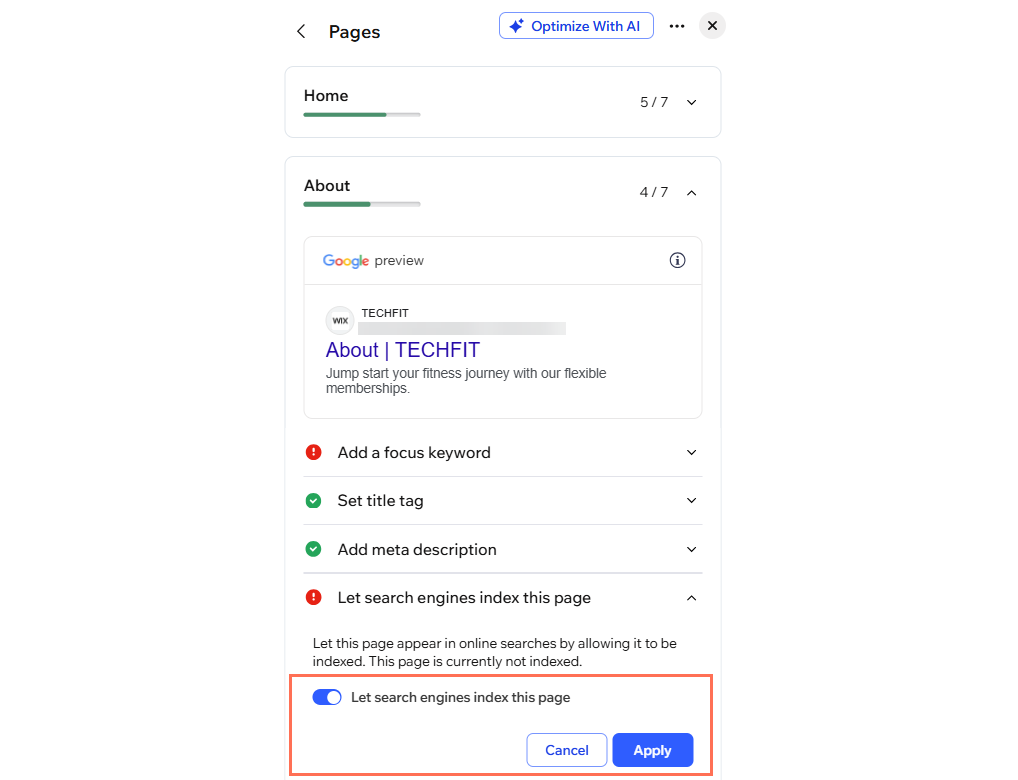
Click Let search engines index this page.
Click Edit.
Disable the Let search engines index this page toggle.
Note:
Pages that search engines are prevented from indexing may not appear in your sitemap.
This article is credited to the Wix team - https://support.wix.com/ and we thank them for that!