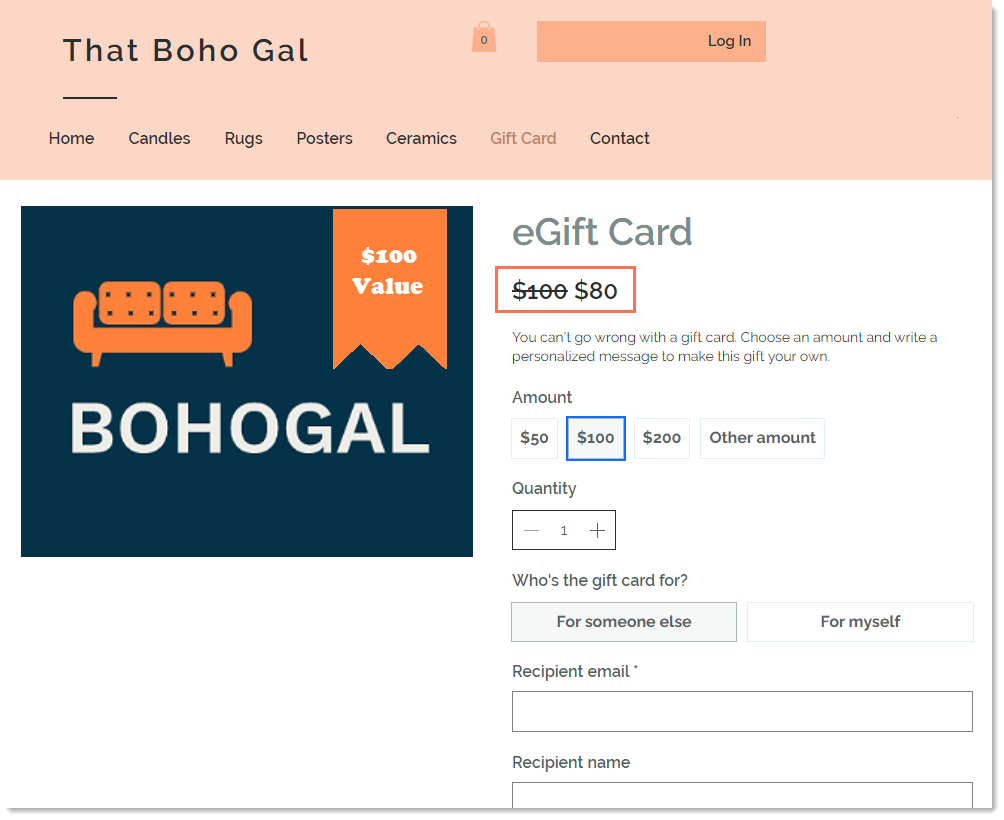
You can offer customers a good deal on gift cards by selling them for less than their face value. For example, you can sell a $100 gift card for $80.
Tip:
You have the option of creating a different gift card image for each value.
To offer gift cards at discounted prices:
Go to Gift Card in your site's dashboard.
Click Edit Gift Card.
(Optional) Edit any of the General Info settings.
Edit the preset gift card amounts that customers can purchase:
Type the amount you want to add.
Tip: Type a comma after each entry.
Click the x next to any amount you want to remove.
Add discounted prices:
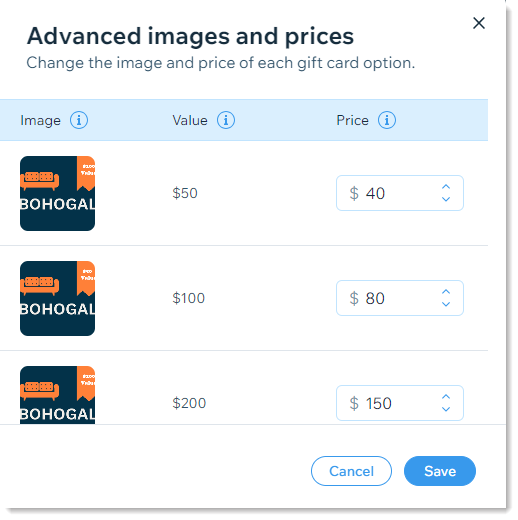
Click Advanced Image and Prices.
Enter a discounted price next to the values you want to discount.
(Optional) Add an image for each gift card value.
Click Save.
(Optional) Edit the Expiration settings.
Click Save.
This article is credited to the Wix team - https://support.wix.com/ and we thank them for that!