Important:
This article refers to the original Wix Hotels app. If you are using the new Wix Hotels by HotelRunner, read this article. Learn how to check which version of Wix Hotels you are using.
Manage Wix Hotels directly from your phone using the Wix app. You can add, view, and edit your reservations from anywhere, at any time.
To manage your reservations from the Wix app:
Go to your site in the Wix app.
Tap Manage

at the bottom.
Tap Hotels under Business.
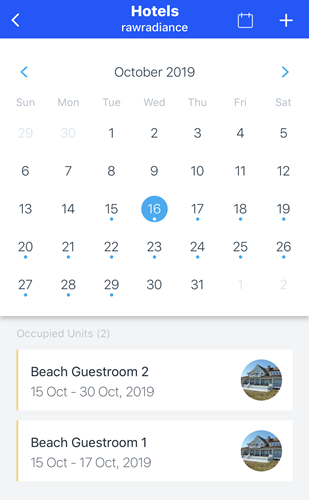
5. Manage all aspects of your reservations including adding, view and editing. Choose what you want to do below to learn more.
Add a reservation
Tap the Add

icon.
Add a Check-in and Check-out date.
Set number of Adults and/or Children staying in the room.
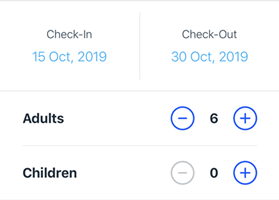
Tap Search Availability.
Note: If there are no available units available, you will be prompted to select new dates.
Select any available unit you want.
Enter the guest details.
Review your reservation and tap Save to confirm.
View your reservation
From the Hotels screen, you have two options:
Tap the Calendar

icon in the top right to see reservations by room.
Use the calendar to view reservations by day.
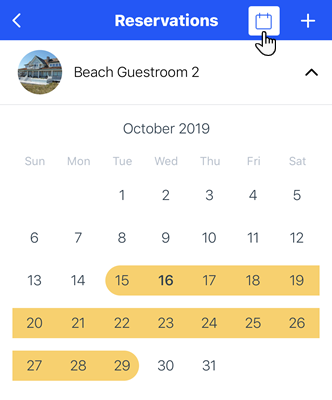
Note: Tap Manage to edit your reservation (steps shown below).
Edit your reservation
Select a reservation by tapping the Calendar

icon or selecting a date on the calendar on the Hotels screen (as shown above in "Viewing your reservation").
Tap Manage.
From here you can:
Mark as Paid: Lists your reservation as paid.
Change Status: Lets you change your reservation status (Reserved, Checked In, Checked Out, and Canceled).
Edit Reservation: Allows you to edit your reservation.
Cancel: Cancels your previous selection.
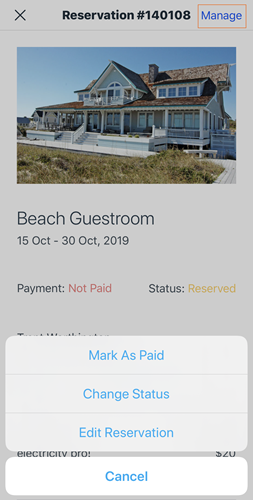
Note: Tap Edit Reservation to change anything about your current reservation (Check-In/Check-Out Date, number of guests, selected unite, and guest details).
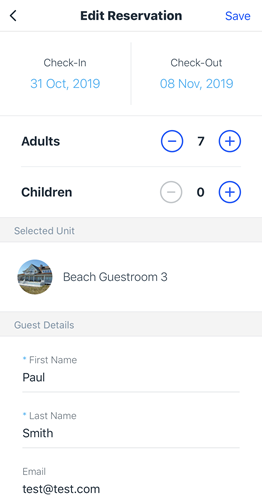
Tap Save to confirm changes to your reservation.
This article is credited to the Wix team - https://support.wix.com/ and we thank them for that!