A drip campaign is a marketing automation that sends a series of messages over time and decides what to send next based on how each contact responded to the message before it.
You can build one from a ready-made template in your Email Marketing dashboard, then adjust the emails, timing, and conditions to match your audience.
Follow up based on how contacts respond
A drip campaign is built as a branching flow instead of a single send. Each branch reads what a contact did with the previous step, then picks the next action from there.
An email campaign you create and send manually goes to your whole contact list at the same time. A drip campaign keeps running, and each contact takes the path their own behavior sets.
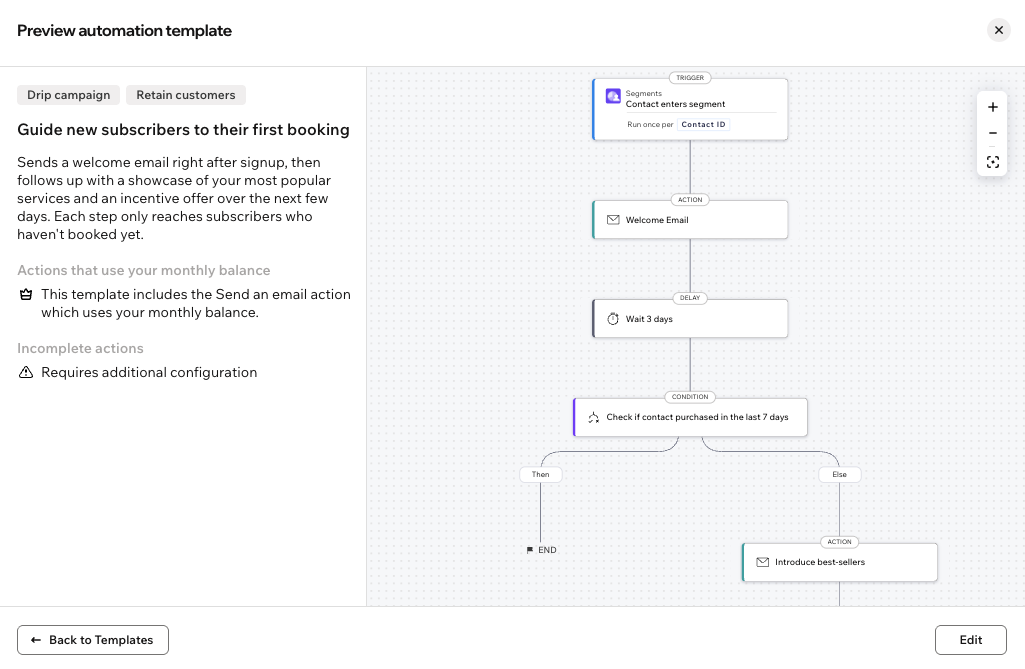
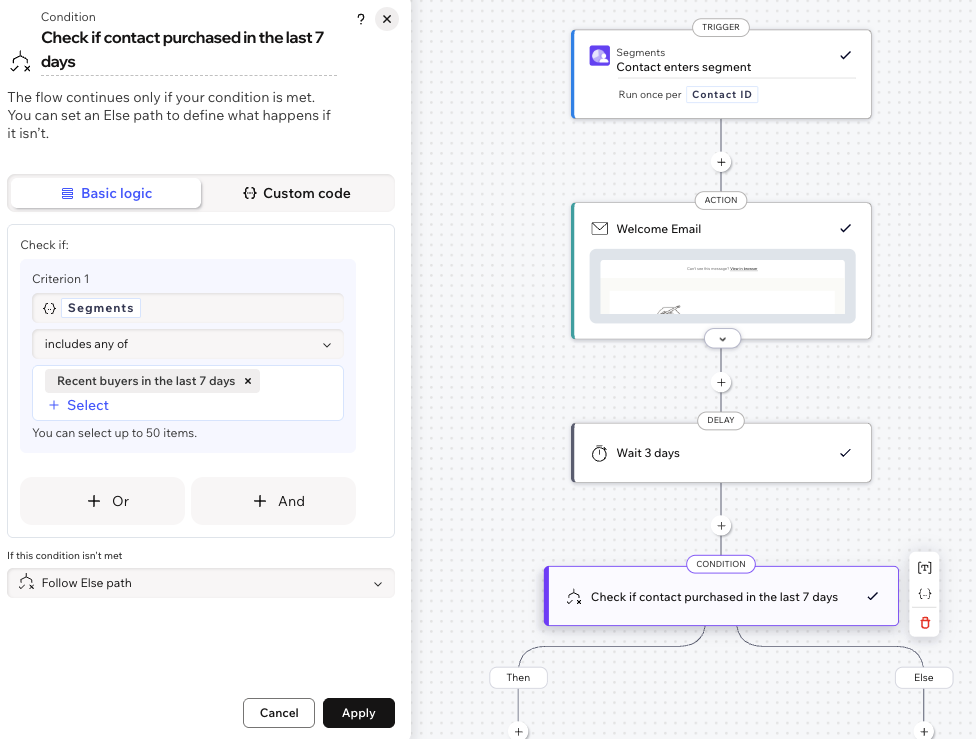
For example, a drip campaign can send a welcome email, wait 3 days, then check whether the contact bought anything in the last 7 days. While contacts who bought reach the end of the flow without receiving additional emails from this drip campaign.
Find a drip campaign for your goal
Because each contact follows their own path, a drip campaign suits any goal that plays out over days or weeks rather than a one-time send:
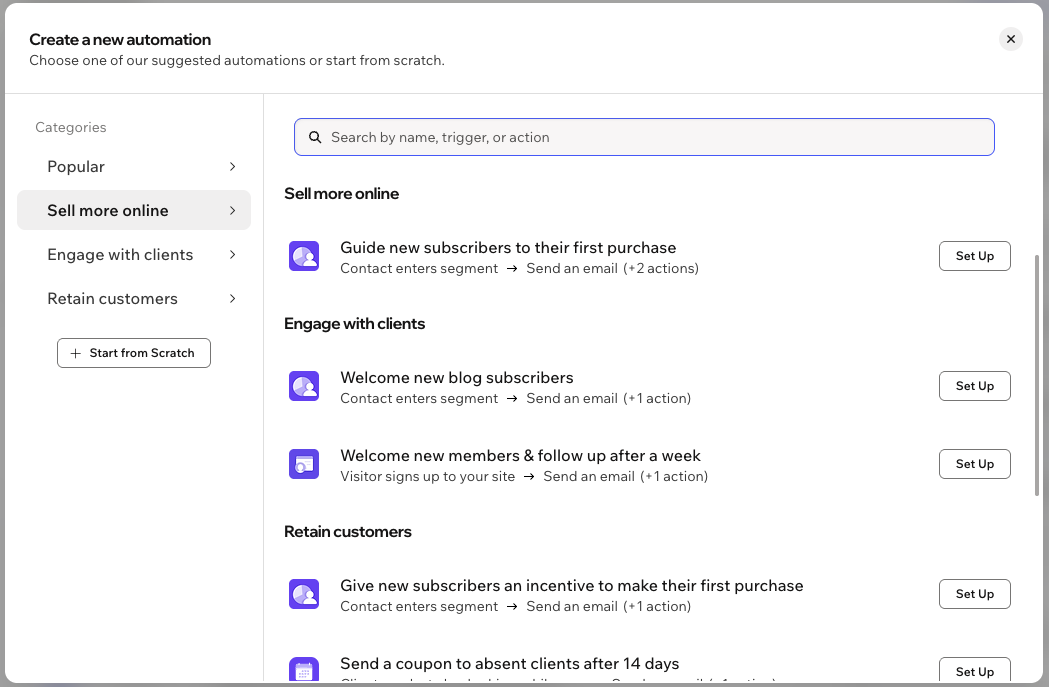
Sell more online: Guide contacts toward their first purchase after they enter a segment, over a sequence of emails that changes with what they do next.
Engage with clients: Welcome contacts who are new to your site, your blog, or your member area, then follow up at a selected time later.
Retain customers: Bring contacts back for another purchase or booking with an incentive or a coupon, re-engage the ones who have gone quiet, or ask for feedback after an order.
Note:
The templates you see depend on the apps on your site, so your list won't match another site's list.
Start from a template
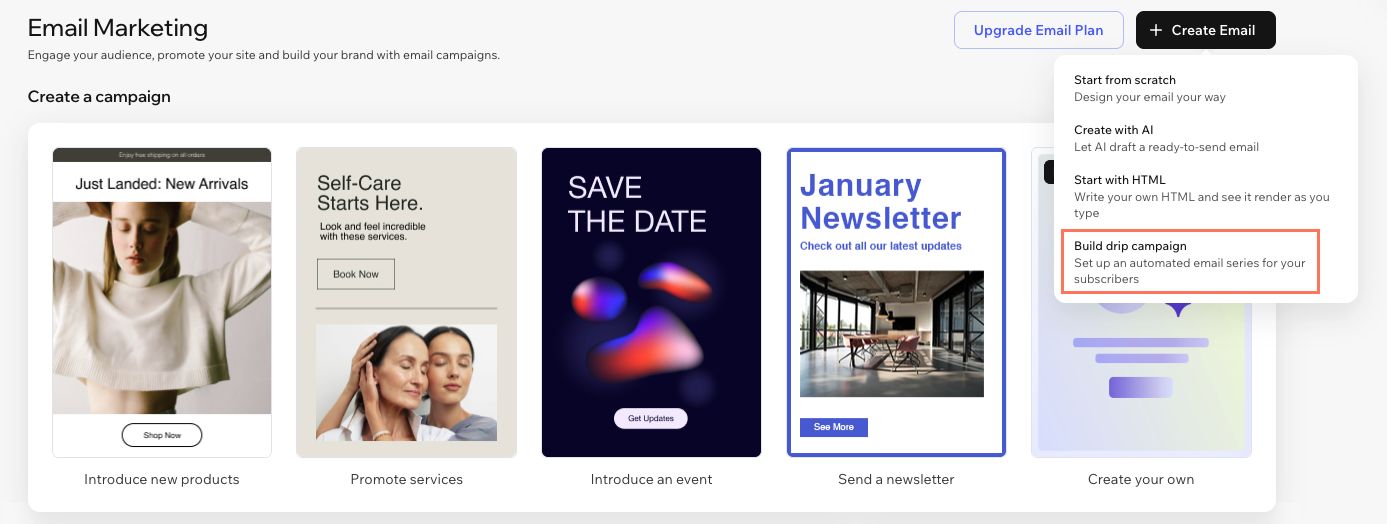
Clicking Build a Drip Campaign in your Email Marketing dashboard opens the available drip campaign templates. Each one comes with its trigger, emails, delays, and branching conditions already in place, so you're adjusting a working flow rather than building one from scratch.
Once you select a template a preview of the automation template opens. Here you see the whole flow as a diagram, the actions that count against your monthly balance, and anything that needs your input before the campaign can run.
Tip:
You can preview a template's email without leaving the template selection window, so you can check the content and design before you commit to a template.
Review each action before you activate
Every template is a starting point, so go through each step of the automations to set the campaign up the way you want.
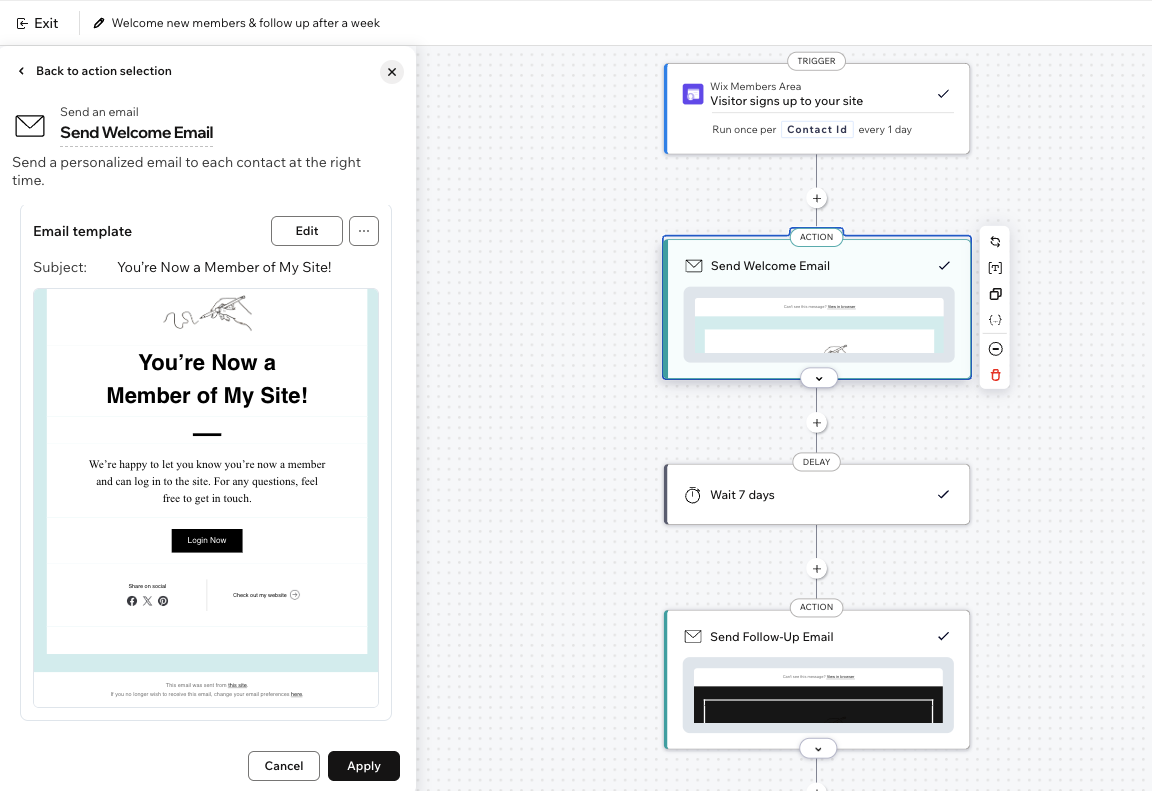
'Send an email' actions: Each email arrives written and designed, so you can keep the structure and bring in your own copy, images, and offers. You can customize any automated email in the flow, and set its email type to control whether contacts can mute or unsubscribe from it.
Delays: How long the campaign waits between steps, and whether that timing suits your audience.
Conditions: What each branch tests, and which segment it reads.
Other actions: An SMS message, a discount code, or anything else a template includes alongside its emails.
Target contacts with segments
The conditions in a drip campaign run on segments, so be sure to create your segments as detailed as you need them. A segment is a group of contacts defined by filters, set either on a contact attribute or on an activity on your site, which lets you describe exactly who a branch should catch.
When you add a condition to your automation, you pull a segment into it, and the condition tests whether a contact belongs to that segment. You can point the condition at a segment you already have, or build the one you need from the condition itself, for example contacts who didn't open the previous email.
Email activity is one of the things a segment can filter on, including engagement with your automated emails. That means a branch can react to a message the drip campaign sent earlier in the flow.
Learn more about segments and how to create and manage them.
This article is credited to the Wix team - https://support.wix.com/ and we thank them for that!