To enjoy all of the Wix features, you need to allow Wix.com pop-ups.
To disable the pop-up blocker in Microsoft Edge:
Open Microsoft Edge.
Click the Settings and more icon

at the top right.
Select Settings.
Click Cookies and site permissions on the left.
Scroll down and click Pop-ups and redirects under All permissions.
Choose what you want to do:
Allow all pop-ups
Disable the Block (recommended) toggle.
Allow pop-ups only from specific sites
Click Add in the Allow section.
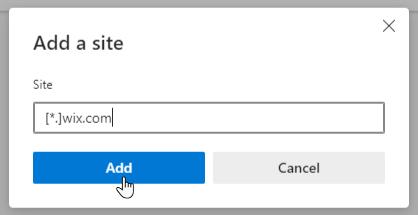
Type [*.]wix.com in the Site field and click Add.
This article is credited to the Wix team - https://support.wix.com/ and we thank them for that!