Important:
This article refers to the original Wix Hotels app. If you are using the new Wix Hotels by HotelRunner, read this article. Learn how to check which version of Wix Hotels you are using.
If you're no longer using Wix Hotels, you can remove it from your site by deleting the Hotel page.
To delete Wix Hotels:
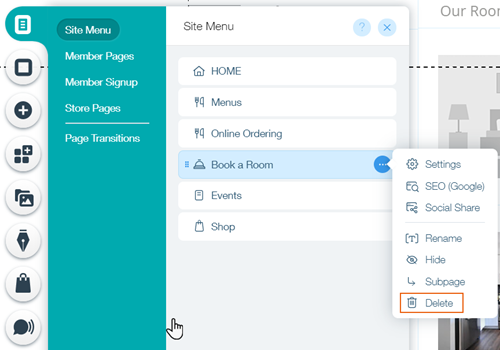
Click Menus & Pages on the left side of the Editor.
Hover over the Hotel page and click the Show More

icon .
Click Delete.
Click Delete in the confirmation window.
Important:
Deleting Wix Hotels does not cancel your plan.
This article is credited to the Wix team - https://support.wix.com/ and we thank them for that!