Important:
This article refers to the original Wix Hotels app. If you are using the new Wix Hotels by HotelRunner, read this article. Learn how to check which version of Wix Hotels you are using.
Your room list lets guests see all the room types you offer at a glance. They can compare prices and amenities to help them decide which one they want to book.
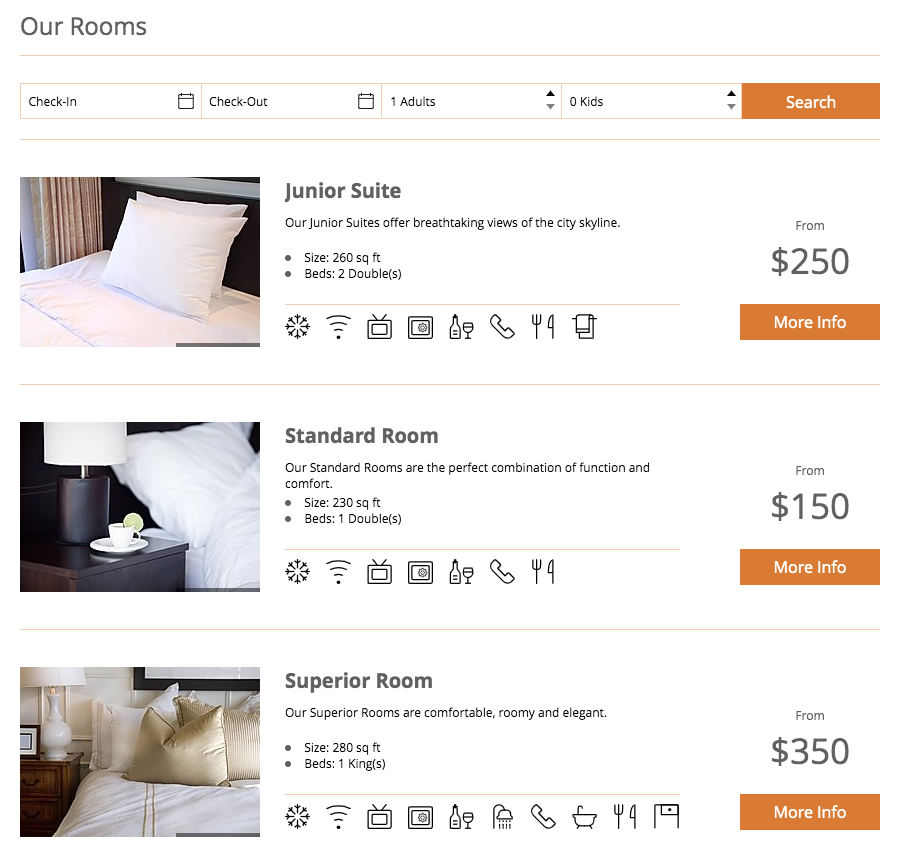
Customize your room list to look exactly as you want. You can change the layout, text, colors and more.
To customize your room list:
Click the Wix Hotels app in your Editor.
Click Settings.
Click the tabs at the top to choose what you want to customize:
Click the Rooms list tab.
Click the horizontal tabs to customize the following:
Rooms list
Here you can customize the general layout and info included in the list.
Layout: Select a layout:
Simple: (Default layout) Display rental properties with multiple room types, featuring a side search box.
Classic: Display rental properties with multiple room types, featuring a top search bar.
Deluxe: Show off rental property listings with multiple room types, featuring large, stunning photos and a top search bar.
Single: Show off single properties, such as apartments or villas, featuring large stunning photos and a side search box.
Fields: Select or deselect the Kids checkbox:
Selected: The Kids option is displayed in the Select Dates tool.
Deselected: The Kids option is not displayed in the Select Dates tool.
Note: This is useful if your hotel does not allow children.
Amenity icons: Select the design of your amenity icons.
Room Information: Select or deselect the checkboxes to show or hide the room information.
Text
Most of the default text that comes with the Wix Hotels app is customizable. Click the drop-down and select the page you want customize. Learn More
Design
Change the design of your room list by customizing the colors, fonts, backgrounds and more. You can customize any of the following:
Date format: Click the drop-down to choose how you want to display the date.
Titles text: Select a color and font for the Hotel page title, Room titles and price.
Body text: Select a color and font for other text on the pages.
Background: Select a background color and drag the slider to set the opacity.
Dates background: Select a background color for the booking section and drag the slider to set the opacity.
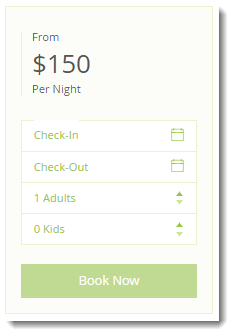
Buttons background: Select a background color for the buttons and drag the slider to set the opacity.
Buttons text color: Select a background color for the button text and drag the slider to set the opacity.
Separators color: Select a background color for the line separators and drag the slider to set the opacity.
Fields text color: Select a text color for the search and booking fields.
Fields background: Select a background color for the search and booking fields.
Tip:
Wix Hotels also offers useful add-ons which you can use to enhance your guests' experience. Click the Add

tab to see what's available. Learn More
This article is credited to the Wix team - https://support.wix.com/ and we thank them for that!