You can link elements on your site such as buttons and images to static or dynamic destinations. Static links always remain the same, while dynamic links change based on criteria such as which CMS (Content Management System) collection item is displayed on your page.
Static links
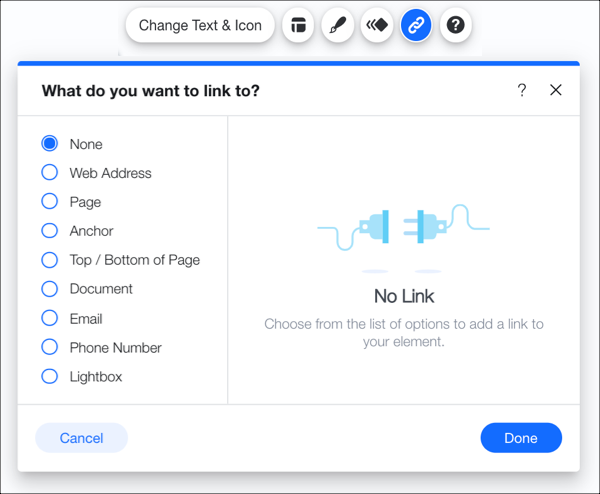
Static links maintain the same connection between the element and the link destination. In your editor, you can click the Link icon

on an element to open the static link panel. There you can decide where you want the link to take your site visitors. This is the default link type in the editors when linking elements to other pages, external URLs, email addresses, and more.
Tip:
Learn more about creating static links in the Wix Editor or the Studio Editor.
Dynamic links
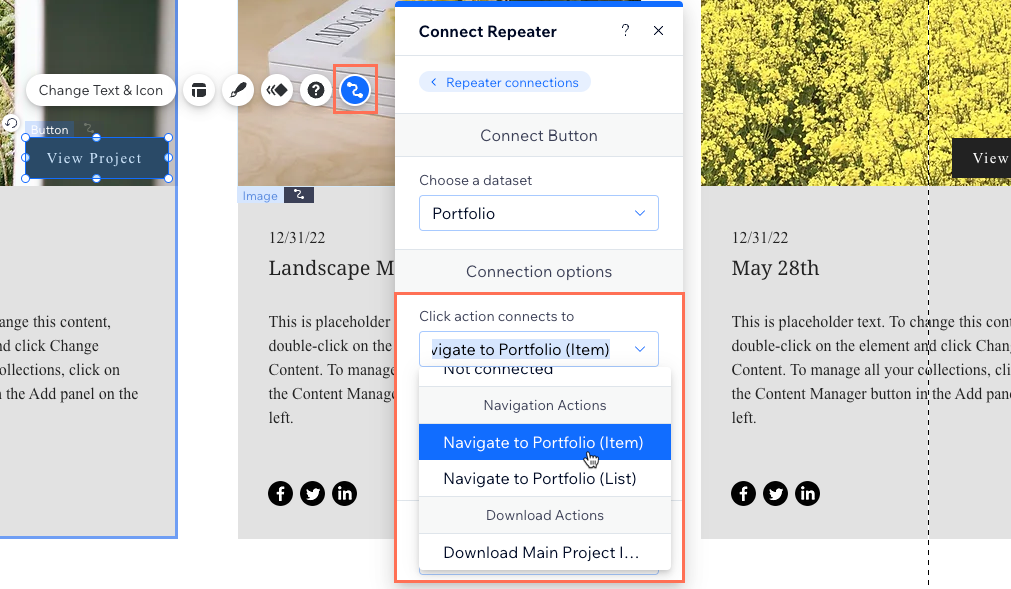
Unlike static links, dynamic links change based on the destination retrieved by the element's connected dataset. For example, in a repeater on a dynamic list page, you could link a button to navigate to the dynamic item page. When visitors click the button, they go to the item's dedicated dynamic item page.
Learn more about:
This article is credited to the Wix team - https://support.wix.com/ and we thank them for that!