We've made datasets easier to locate and use by moving them to a panel on the right of your editor. Check out the improvements we've made below:
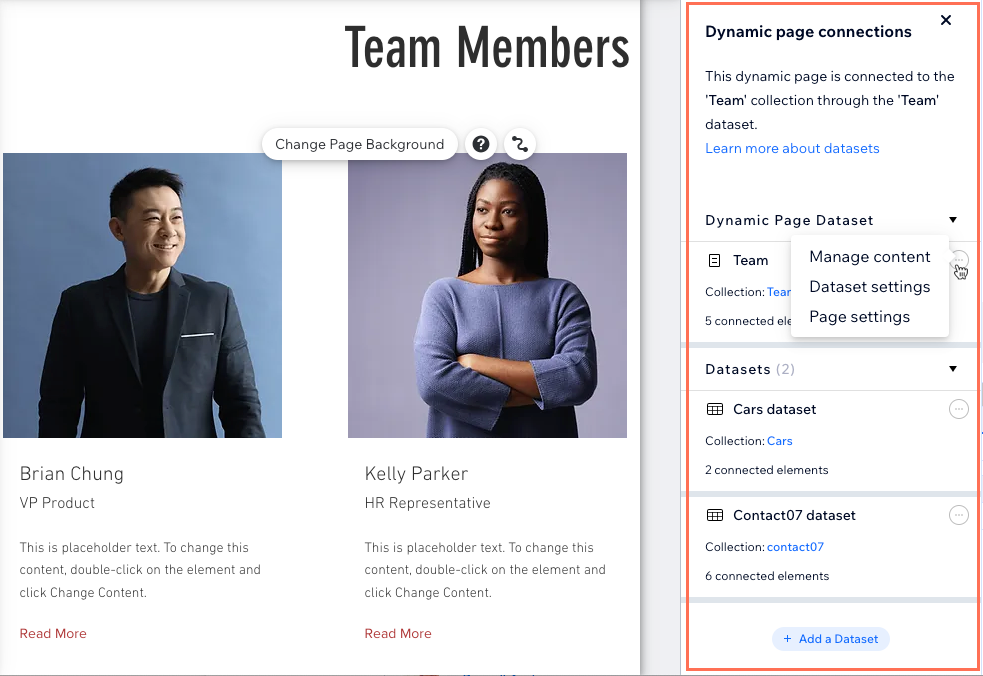
View and manage all your page's datasets in one place
You can now easily access and control all your page's datasets from a single centralized panel located on the right side of the Wix Editor. The panel opens automatically whenever you manage an element's connections or add new ones.
Choose the most convenient way to access the new datasets panel in your editor:
From the side panel: Click CMS

on the left side of your editor then click Manage Page Connections.
From an element: Click a supported element on your page and click the Connect to CMS icon

. Then click View All Page Datasets in the panel on the right.
From page settings: Click Pages & Menu

on the left side of the editor. Hover over the relevant page, click the More Actions icon

and select Page Connections.
Once you're in the panel on the right, click the More Actions icon

next to the relevant dataset to manage the collection content, edit the dataset settings, or go to your page settings.
Easily connect elements to datasets in the panel
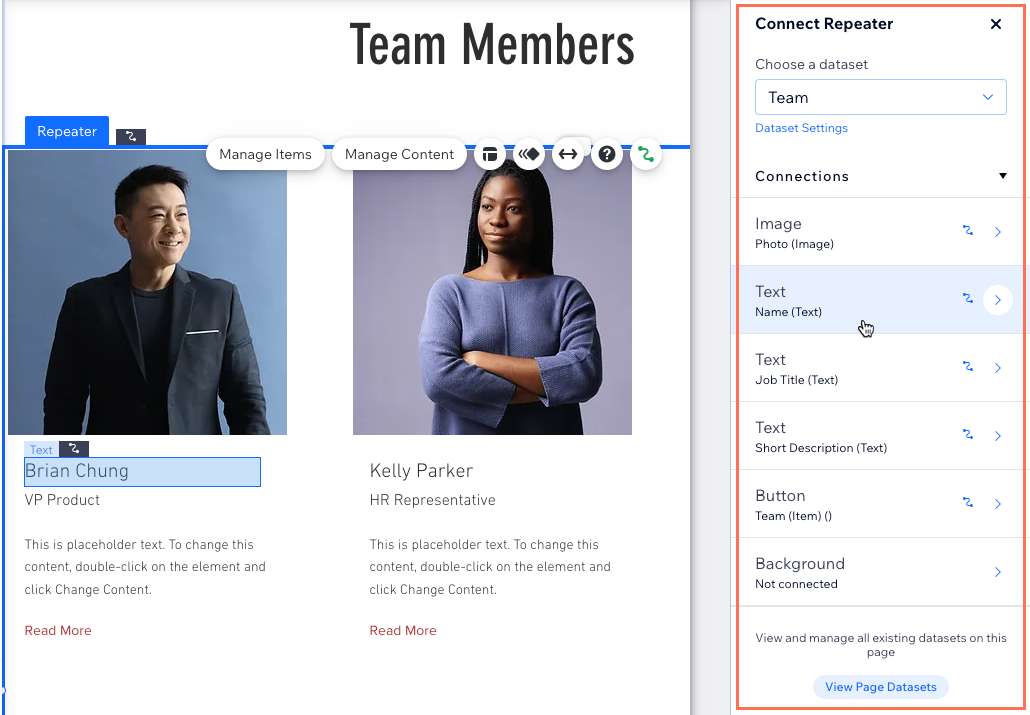
Now, when you select an element and click the Connect to CMS icon
, a panel opens on the right of your editor. In the panel, you can connect the element to a dataset, manage the existing connections, change the dataset settings, or add a new dataset.
Learn more about connecting page elements to datasets that bind to your CMS collection content.
This article is credited to the Wix team - https://support.wix.com/ and we thank them for that!