To make sure your site remains live at all times, Premium plans and Studio plans renew automatically at the end of your subscription period. You can check the date and amount of your upcoming renewals at any time.
To check your upcoming renewals:
Go to Premium Subscriptions in your Wix account.
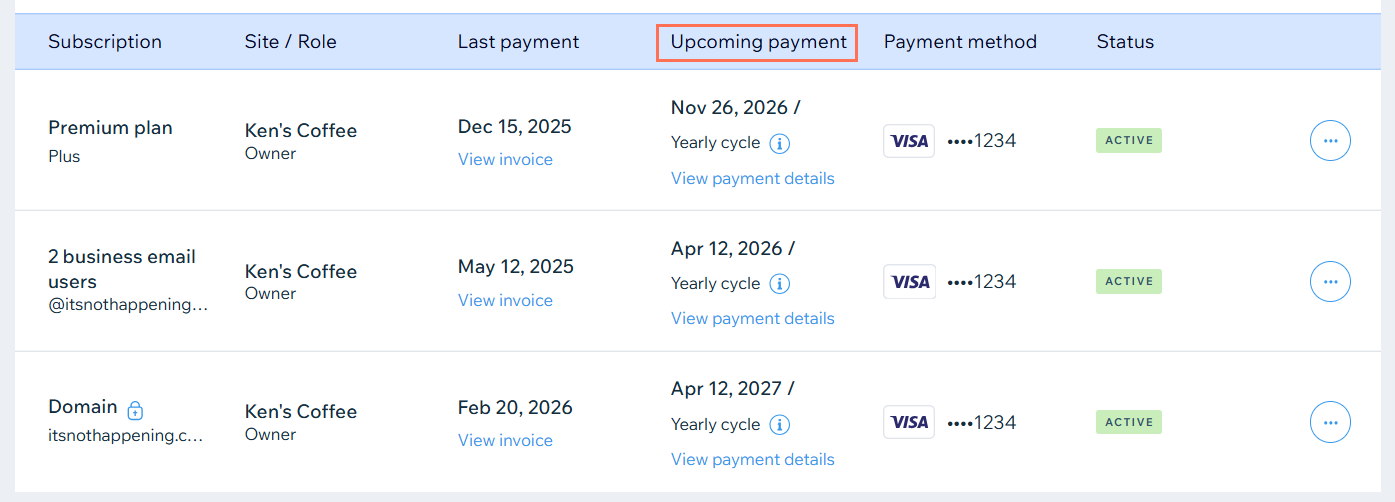
View renewal information in the Upcoming payment column.
Click View payment details to see the specifics of your next payment, including the amount due.
Renewal Date vs. Expiration Date
The Upcoming payment column shows the date of your next renewal payment. This date may differ slightly from the expiration date if you have turned auto renew off. Hover over the Info icon

to learn more.
This article is credited to the Wix team - https://support.wix.com/ and we thank them for that!