Categorize your custom code embeds (cookies) so that browsers can recognize the purpose of your code. All code has a purpose, which may be classified as either Essential, Marketing, Analytic or Functional. Correct categorization helps your site comply with data privacy laws such as the GDPR and the LGPD. These laws require that your visitors can decline the use of non-essential cookies while using your site.
Custom codes are categorized as essential by default. This means that the code is loaded prior to visitor consent and cannot be disabled. If your custom code can be more accurately be described as either Marketing, Analytic or Functional code, it is your responsibility to classify it as such.
How to decide how your code should be categorized:
Essential cookies: These cookies are integral to the use of your site. They enable basic functionality such as security, identity verification and network management.
Marketing cookies: These cookies are used to track advertising effectiveness to provide a more relevant service and deliver better ads to suit visitor interests.
Analytic cookies: These cookies help to understand how visitors interact with your website, discover errors and provide a better overall analytics.
Functional cookies: These cookies collect data to remember choices visitors make to improve and give a more personalized experience.
To categorize your custom code:
Go to Settings in your site's dashboard.
Scroll down and click the Custom Code tab.
Click + Add Custom Code at the top right.
Add your custom code.
Click the Code Type tab.
Select the category that best describes your code's purpose.
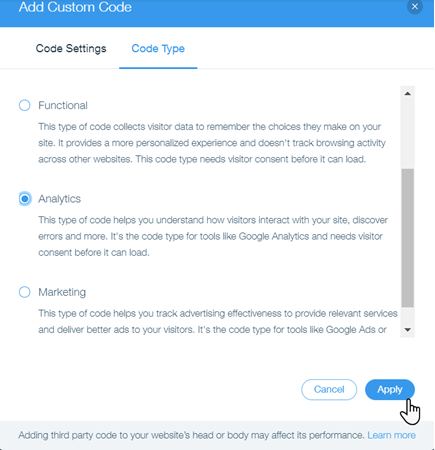
Click Apply.
This article is credited to the Wix team - https://support.wix.com/ and we thank them for that!