Important:
This article refers to the original Wix Hotels app. If you are using the new Wix Hotels by HotelRunner, read this article. Learn how to check which version of Wix Hotels you are using.
At any time you can cancel a reservation from your hotel calendar.
To cancel a reservation:
Click the Hotels tab.
Click the Reservations tab.
Click the relevant reservation on the Reservation Calendar.
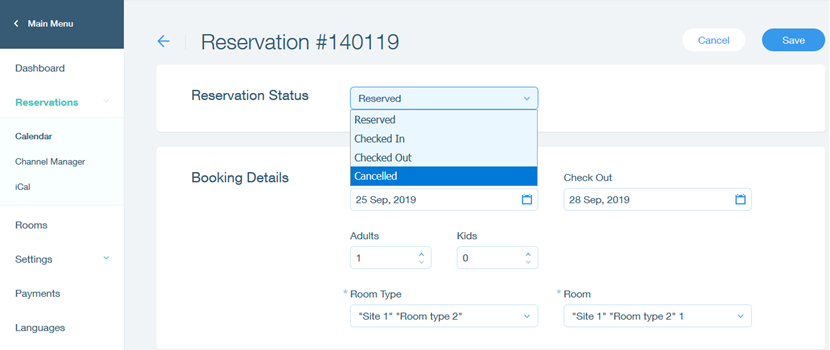
Click the Reservation Status drop-down menu.
Click Cancelled.
Click Save.
Note:
Cancelling the reservation on your calendar will not inform the guest. Make sure to contact your guest and confirm the cancelled reservation.
This article is credited to the Wix team - https://support.wix.com/ and we thank them for that!