Certain apps such as the LiveChat app appear in your site's footer after you add them. If you hide the footer from a specific page on your site, these apps no longer appear on the page.
For these apps to work properly, you need make sure that the footer is visible on the page that you add the app to.
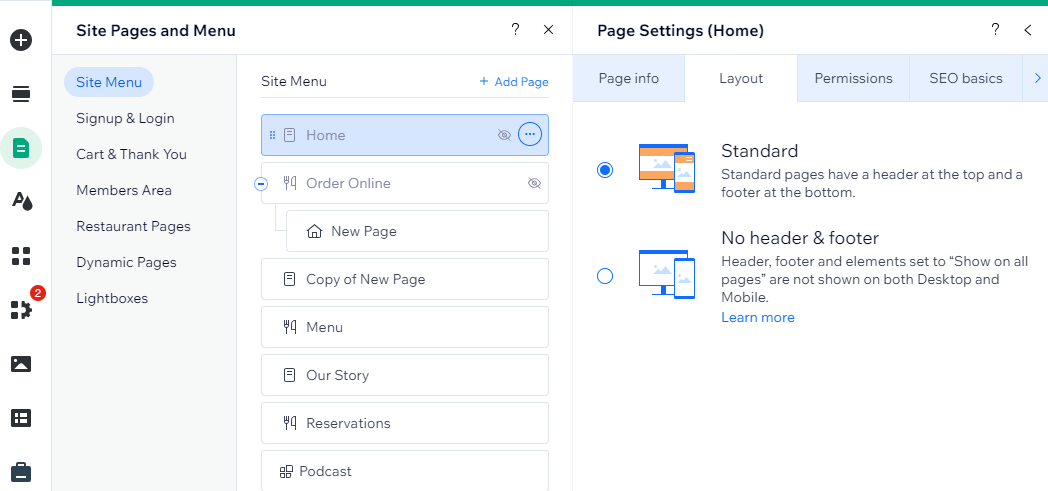
To make your page's footer visible in Wix Editor:
Click Pages & Menu

on the left side of the editor.
Click the relevant page.
Click the More Actions icon

.
Click Settings.
Click the Layouts tab.
Select Standard.
This article is credited to the Wix team - https://support.wix.com/ and we thank them for that!