Important:
This article refers to the original Wix Hotels app. If you are using the new Wix Hotels by HotelRunner, read this article. Learn how to check which version of Wix Hotels you are using.
Add a calendar to any page of your site to show your hotel availability. Customers can click the Show Availability For drop-down menu to select which room they want to view.
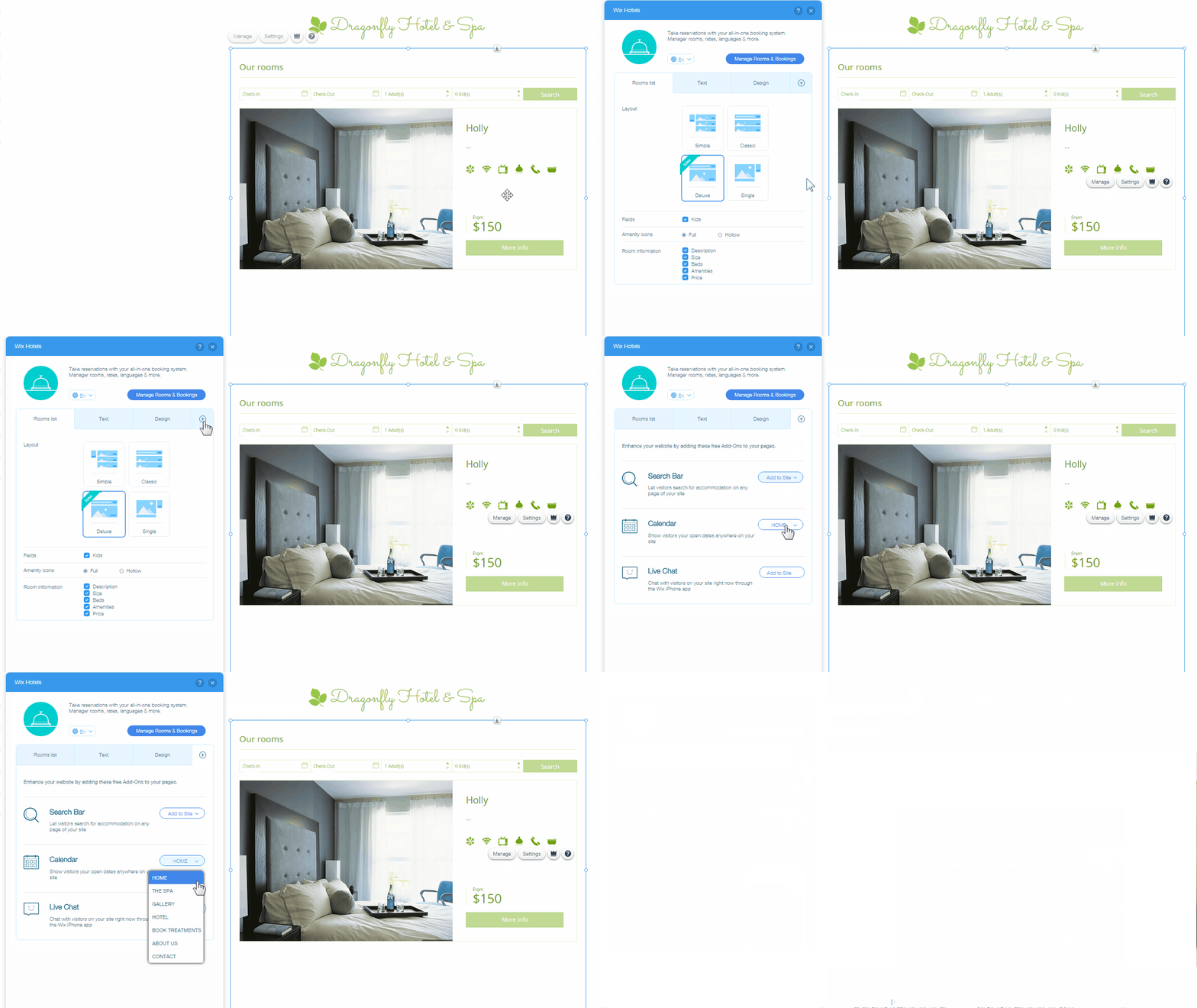
To add a calendar:
Click Wix Hotels app inside the Editor.
Click Settings.
Click the Add-Ons tab icon.

Click Add to Site drop-down menu next to the Calendar.
Select the page you want to place the calendar on.
Drag the calendar to where you want it to appear on the page.
Tip:
Click here to learn how to change the design of the calendar.
This article is credited to the Wix team - https://support.wix.com/ and we thank them for that!